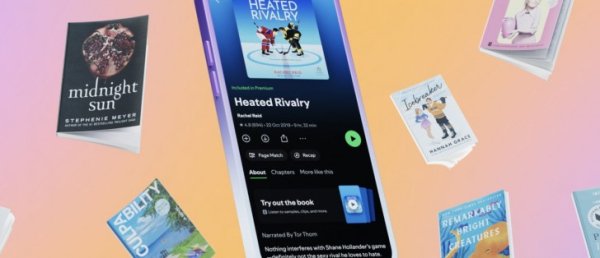

Last month a report uncovered an upcoming Spotify feature called Page Match, and today this has become official. It’s a very nifty one, letting you sync your progress across audiobooks, e-books, and physical books.
Here’s how it works. If you want to sync where you are in a physical book or e-book to a Spotify audiobook, open the audiobook in Spotify, tap the Page Match button, press Scan to listen, and allow camera access. Then you simply “scan” the page you’re on in the physical book or e-book (basically you’re taking a photo of it). Then, Spotify will match the page to the corresponding moment in the audiobook and give you two options: Play from here, and Save for later.
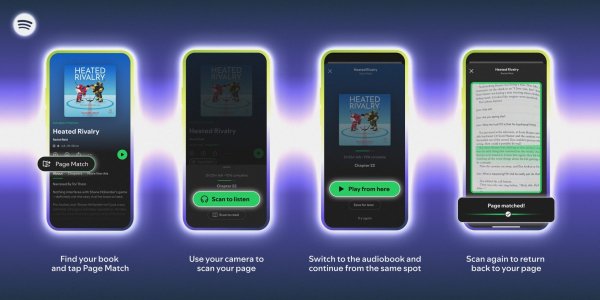
If you want to go the other way round and switch from listening to reading, open the audiobook in Spotify, tap the Page Match button, select Scan to read, then scan any page in your book or e-book so Spotify can orient itself. Then, Spotify will guide you to the correct spot based on where you stopped listening, telling you whether to flip forward or backward to find the exact passage where you should resume reading.
Page Match will be available to audiobook listeners on iOS and Android “on most English-language titles” by the end of this month.
Spotify has also announced that, if you’re in the US or UK, you’ll be able to purchase physical books via the Spotify app through a partnership with Bookshop.org, an organization that connects readers to independent bookshops.
Source